

Chatter is Salesforce’s collaboration tool. Users can perform multiple functions using Chatter including:
- Post updates or comments in Groups or on a record
- Create draft posts to share later
- Pin posts for better visibility e.g. pin an important post to the top of a Chatter group
- Like posts and comments
- Reply to posts
- Bookmark a post
- View automatic updates such as field updates on the Chatter feed of a record
- Follow records or users to receive updates
- Share files and links
- Post polls
- Send private messages
Activities on Chatter can be shared with both internal or external users e.g. Community users.
Visibility of a Chatter post is determined by group and record access. If a user does not have access to a group or record, they cannot see any posts associated with them, even if you @ mention them.
If a user has visibility of a post, they get visibility of any associated files by default.
Chatter Feed
First and foremost, the purpose of Chatter is collaboration. This tool allows you to connect and communicate with colleagues all within Salesforce.
A Chatter feed can be accessed from the Chatter tab, a record or anywhere else you’ve chosen to display it e.g. you might have the Chatter feed on the Home tab.
From the Chatter publisher you can create Posts, add Polls and ask Questions.
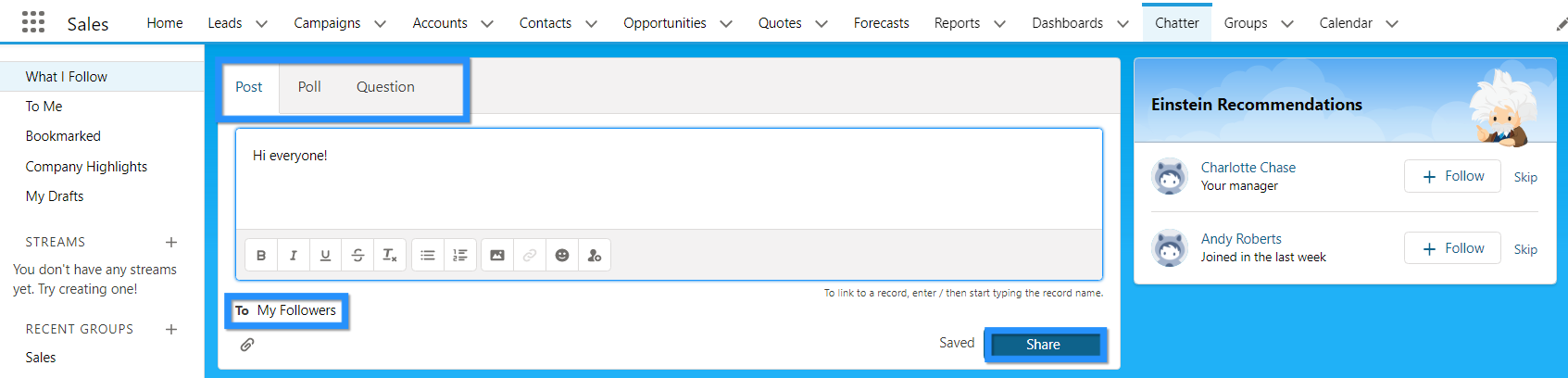
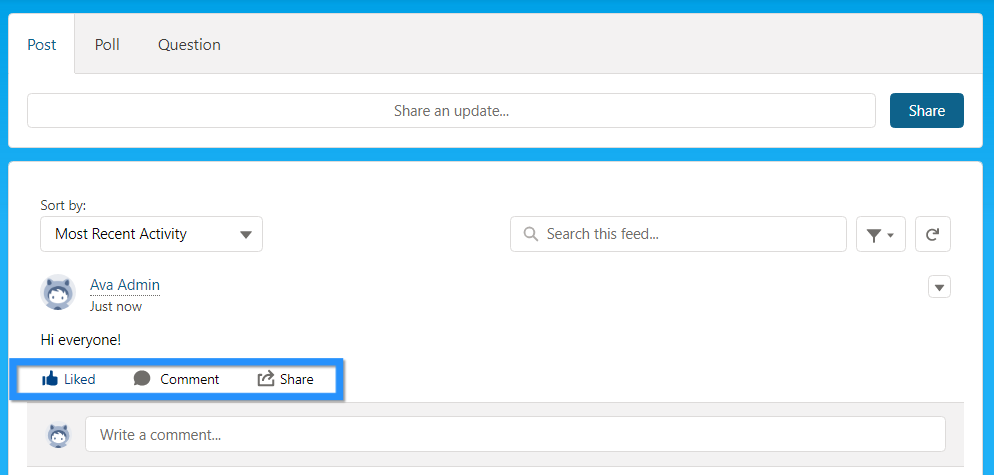
Once you share your Post, your colleagues can then Comment, Like or Share it – bringing the collaboration element to life!
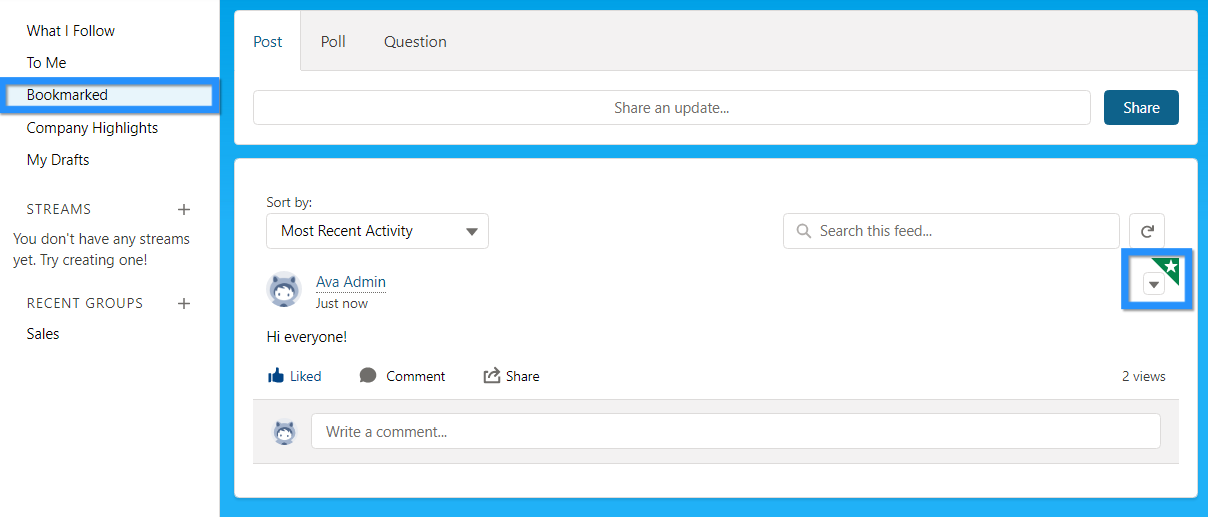
Posts can be bookmarked, a fantastic way to enable you to quickly refer back to the Post from one location.
Chatter Groups
Chatter Groups allows particular users to collaborate on Salesforce.
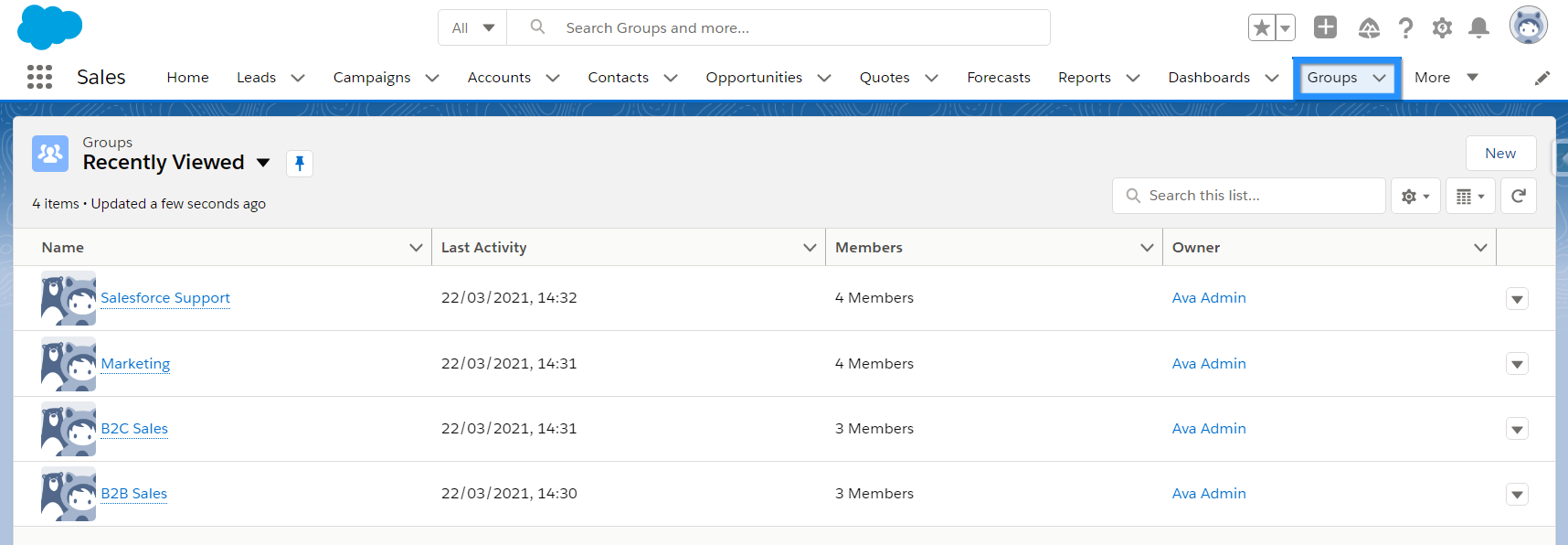
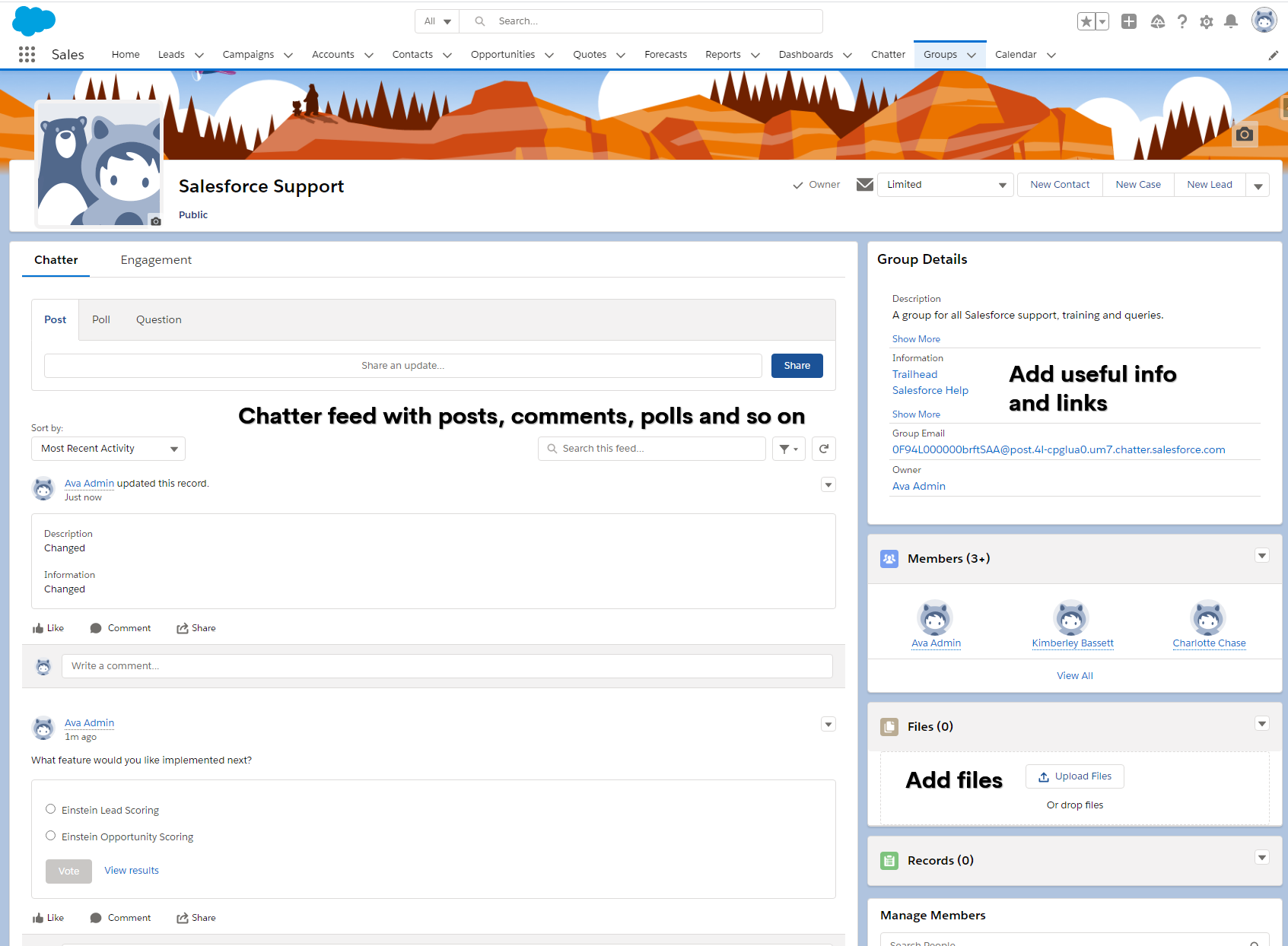
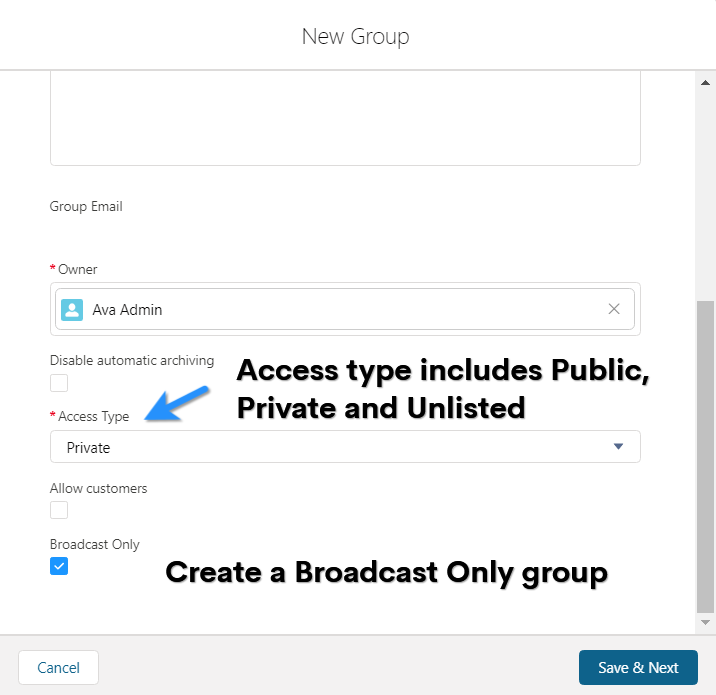
Groups have 3 visibility settings:
- Public – Anyone can find, join and view the feed.
- Private – Anyone can find the group but must ask to join. Only once a user is a member can they see and add posts.
- Unlisted – Members must be invited and the group is not searchable. Only members can view and post. Unlisted groups can be enabled in Chatter Settings via Setup.
You can also create a ‘Broadcast Group’ which means that only the group owner and manager can create posts. This type of group is typically used for announcements. Members can respond to posts but cannot create new ones.
Email Digest
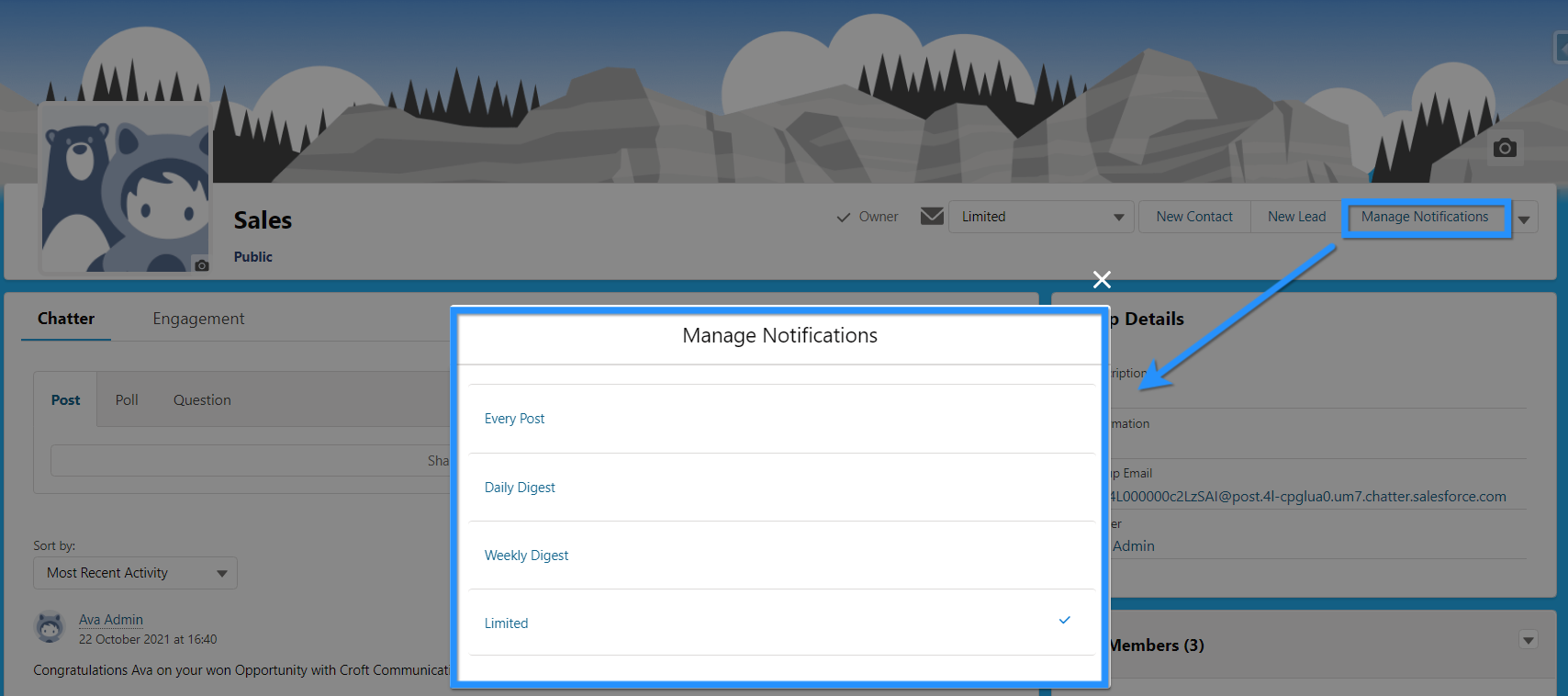
When you join a Chatter Group or decide to Follow a colleague, you will get email notifications on Chatter activity. To control the notifications from a Chatter Group, click ‘Manage Notifications’ and select the frequency of the notification you’d like to receive.
Chatter Feed Tracking
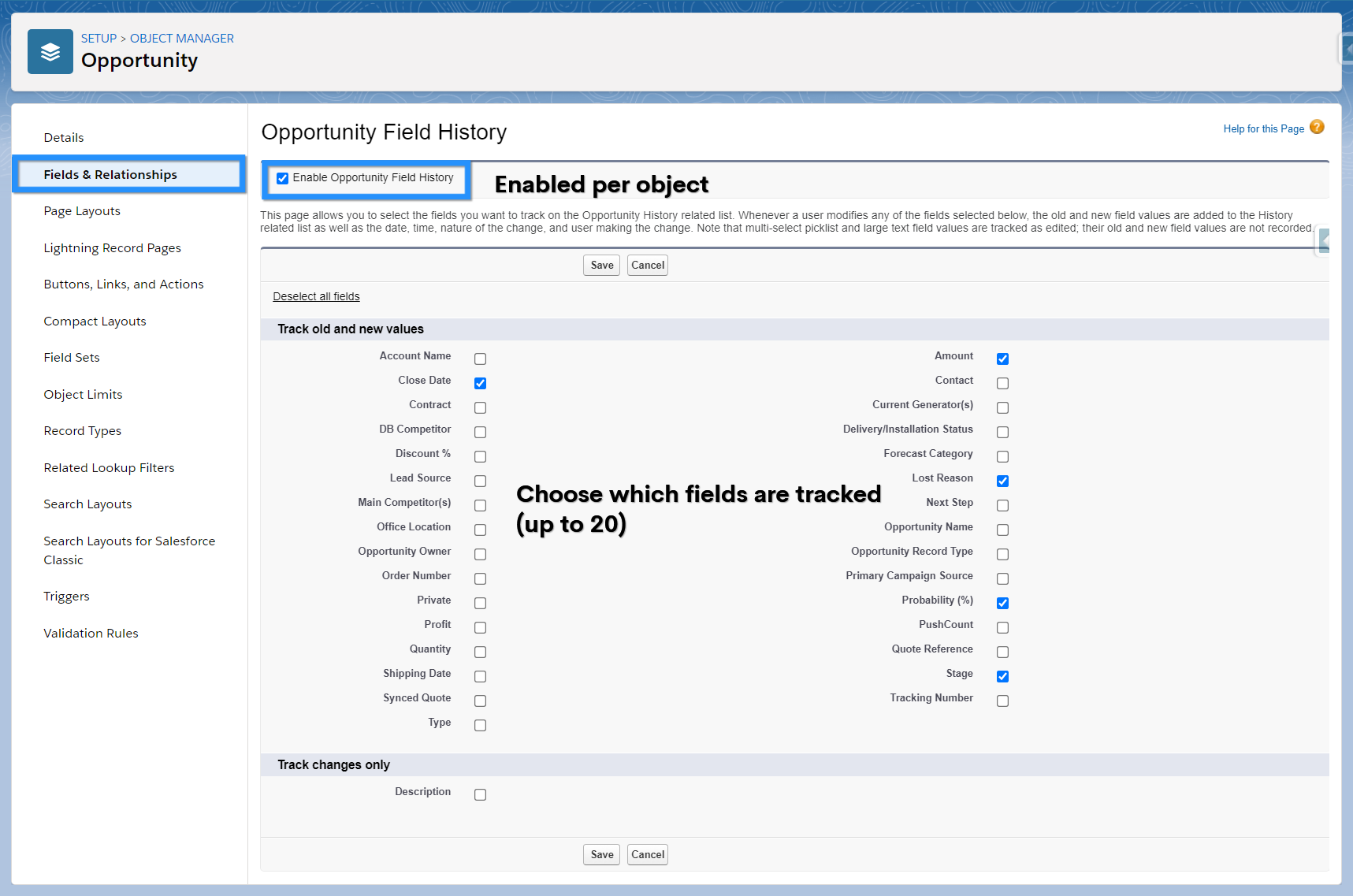
The Chatter feed on a record will display polls, posts, comments and record updates. For record updates to appear, feed tracking must be enabled.

Feed tracking displays changes to record fields. You can track a maximum of 20 fields per object. This feature is enabled by default for standard objects and is also available on custom objects. You can amend which fields are tracked.
Attach Files
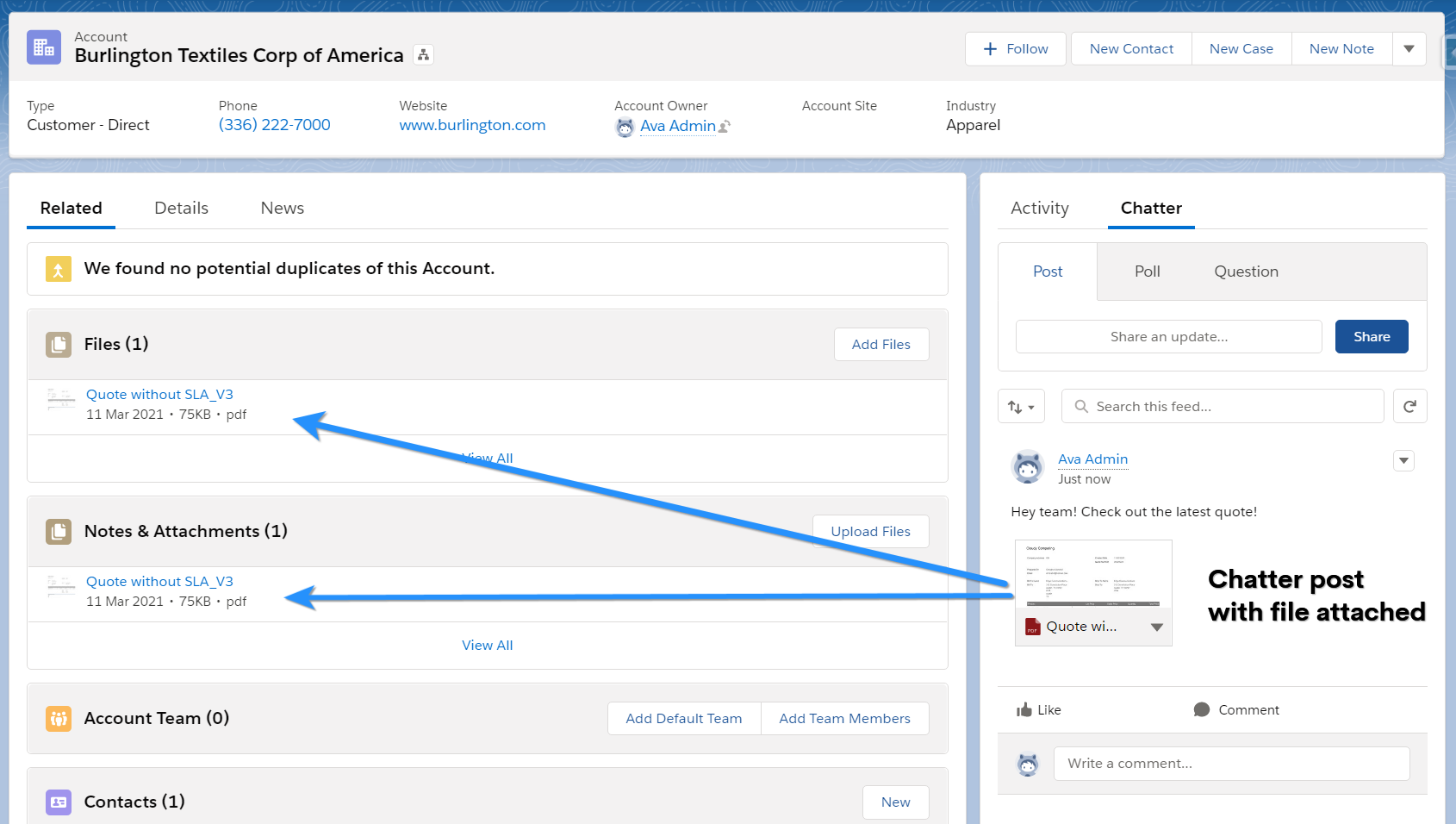
When a file is attached to a record, it is also added to the Notes and Attachment related list and stored in Files.
Topics
You can create and add topics to Chatter posts or records; topics are added by including a Chatter post hashtag.

Topics can help to categorize a Chatter post or record and users can search to see all posts related to a specific topic. Users can also filter by topics in a list view and follow a topic.
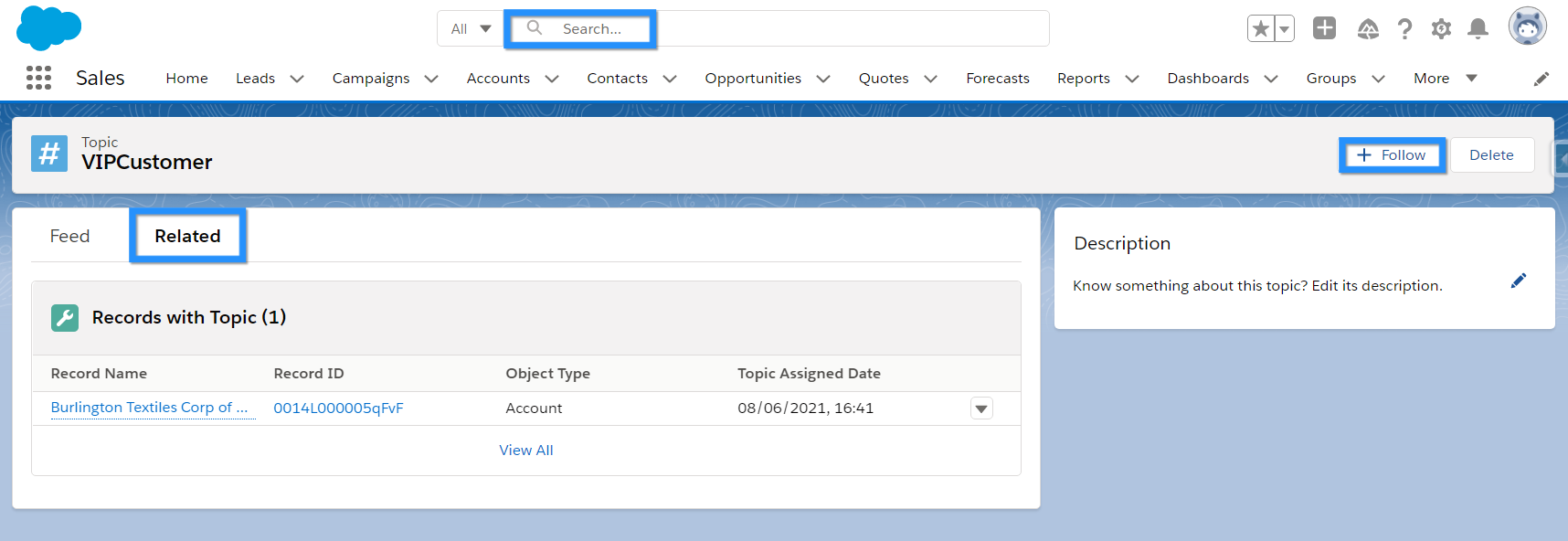
Topics must be enabled for an object before you can use them.
Publisher Actions
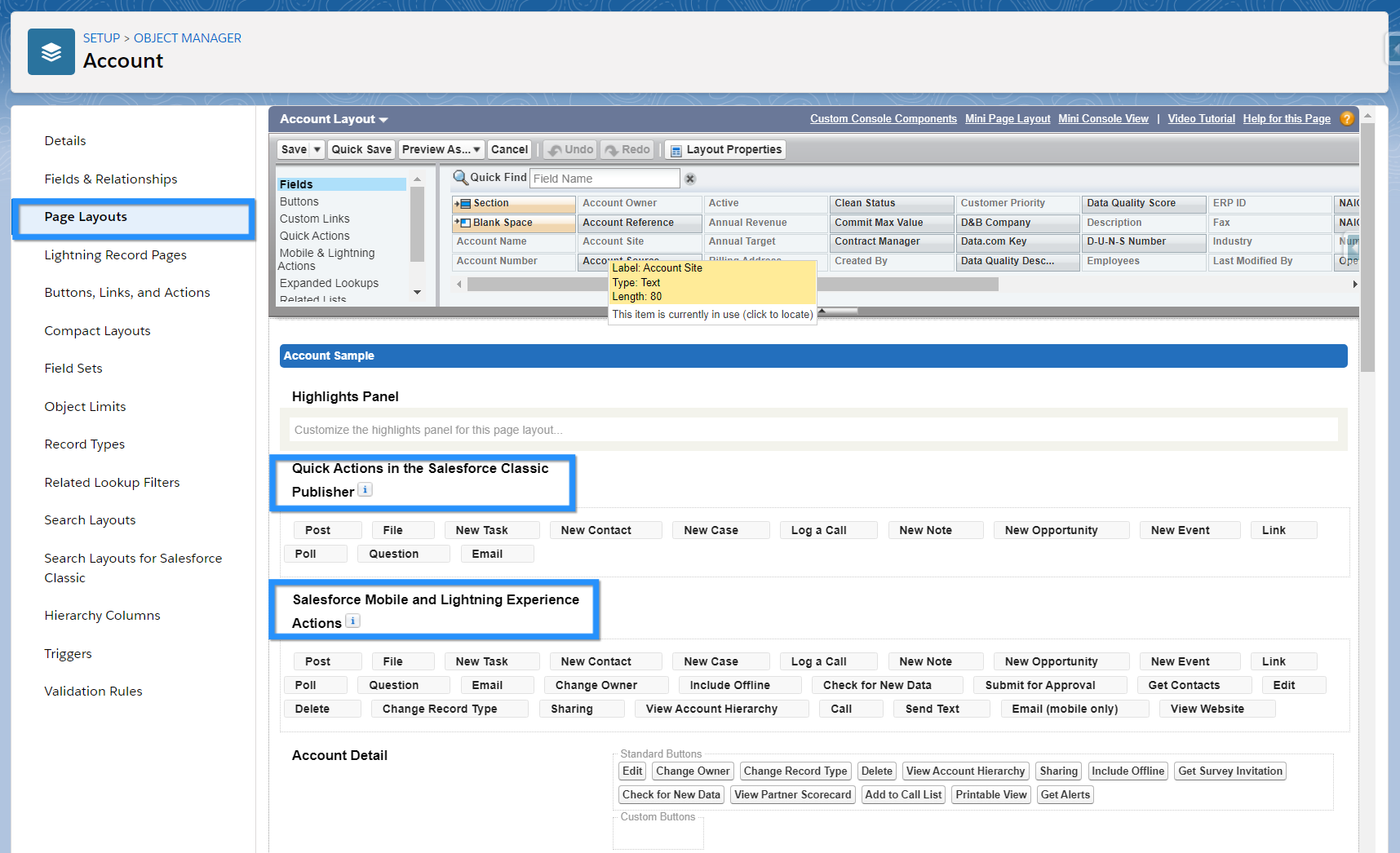
You can create quick actions and add them to the Chatter publisher so that users can quickly perform certain actions.
There are standard actions such as post, file, link, question and poll. Additionally you can create custom actions.

Actions can be added, removed and reorganised via the page layout for the object.
Chatter Notifications
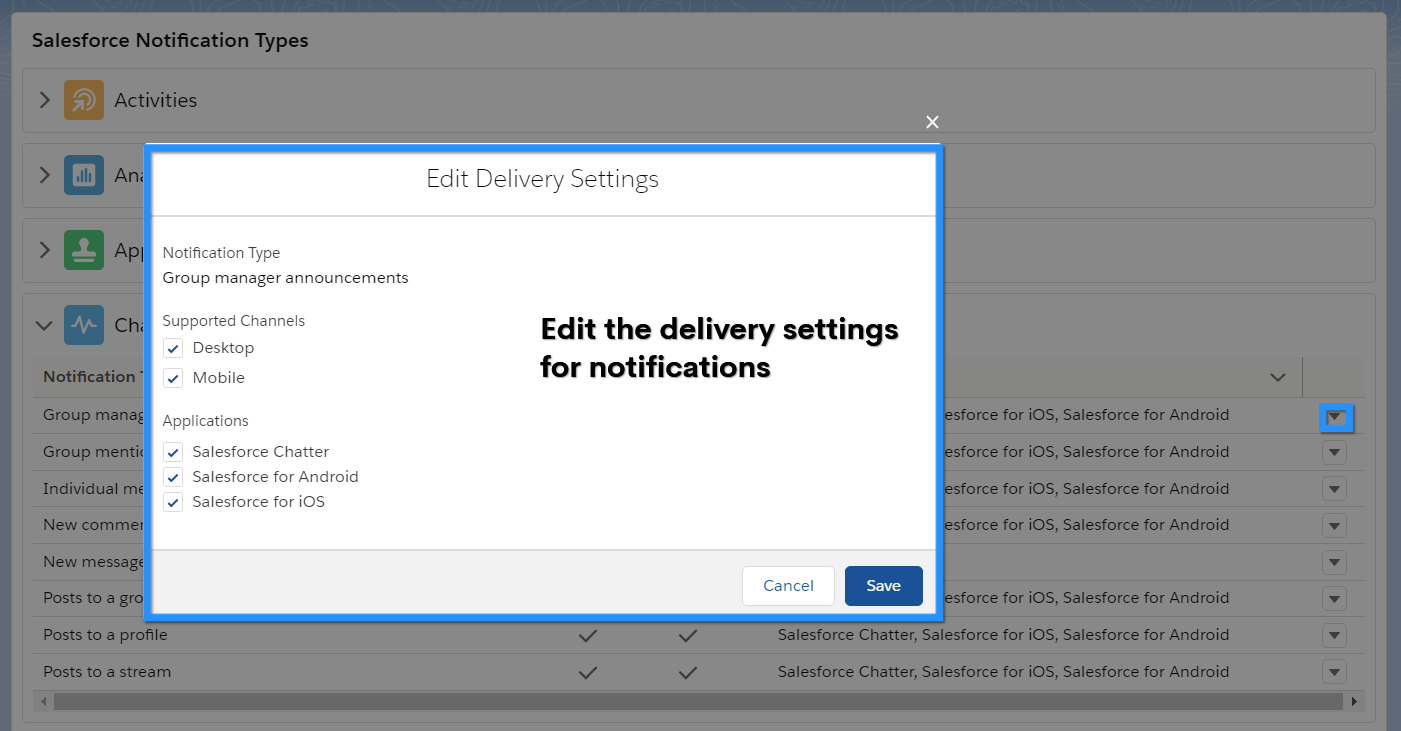
Chatter notifications can be controlled in ‘Notification Delivery Settings’ in Setup.
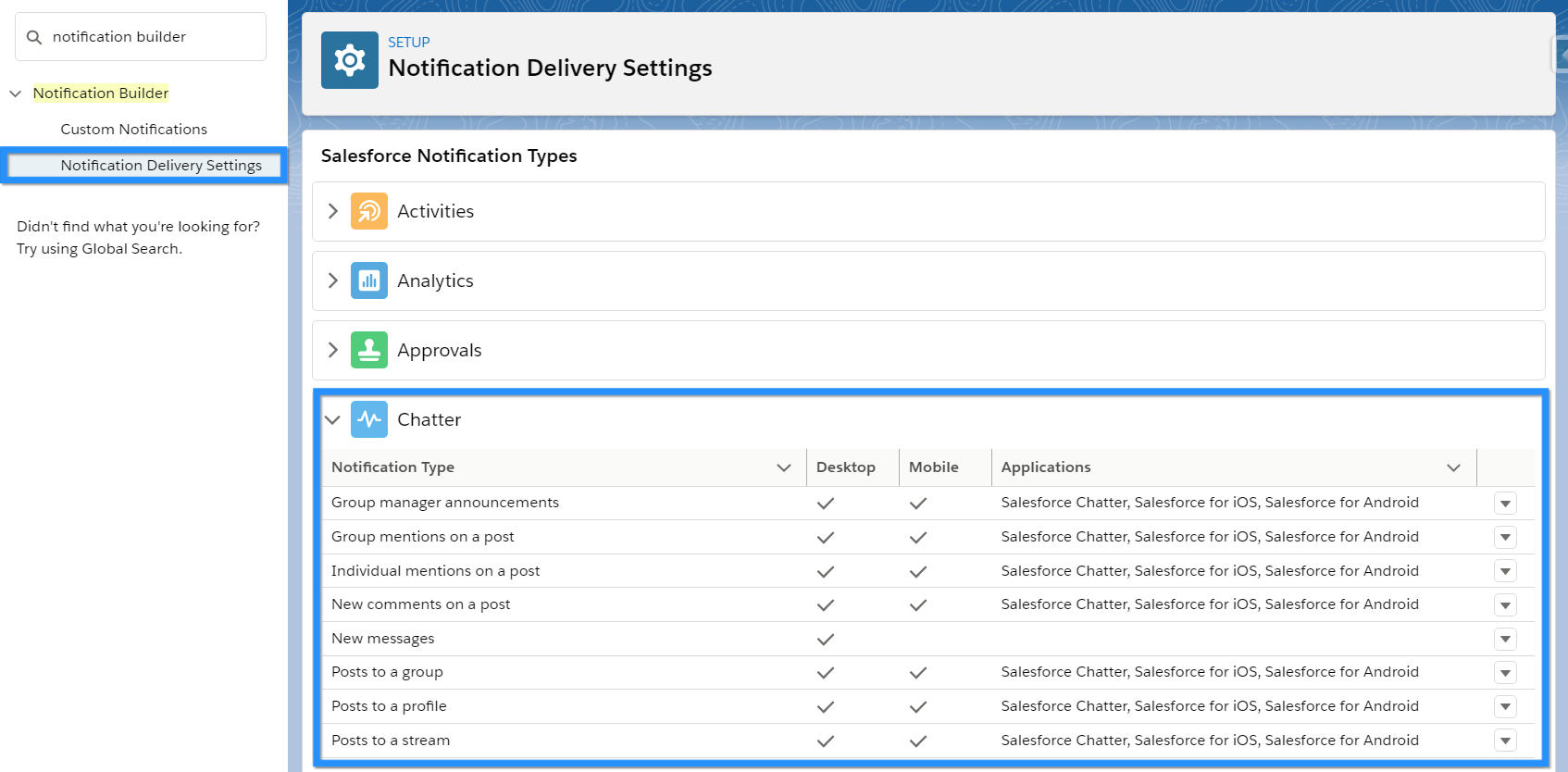
When notifications are enabled, users will receive notifications on either the desktop, mobile or both, depending on your setup.
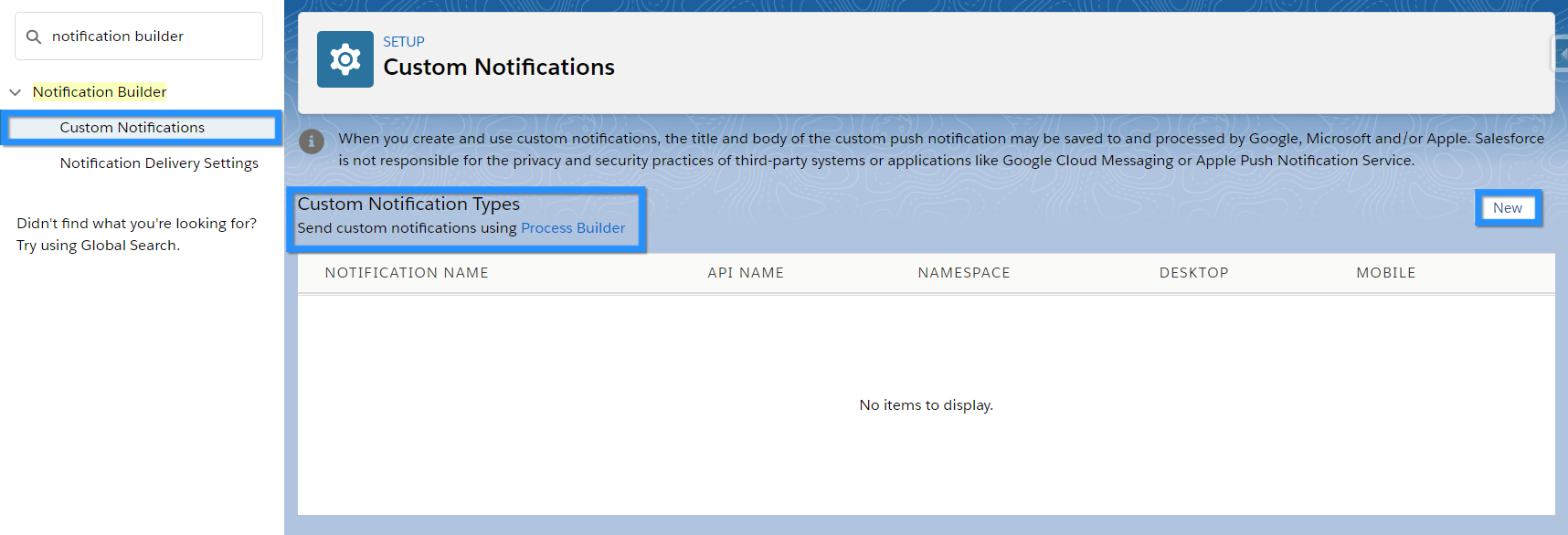
You can also create custom notifications if required which can be sent using Process Builder.
Chatter Settings
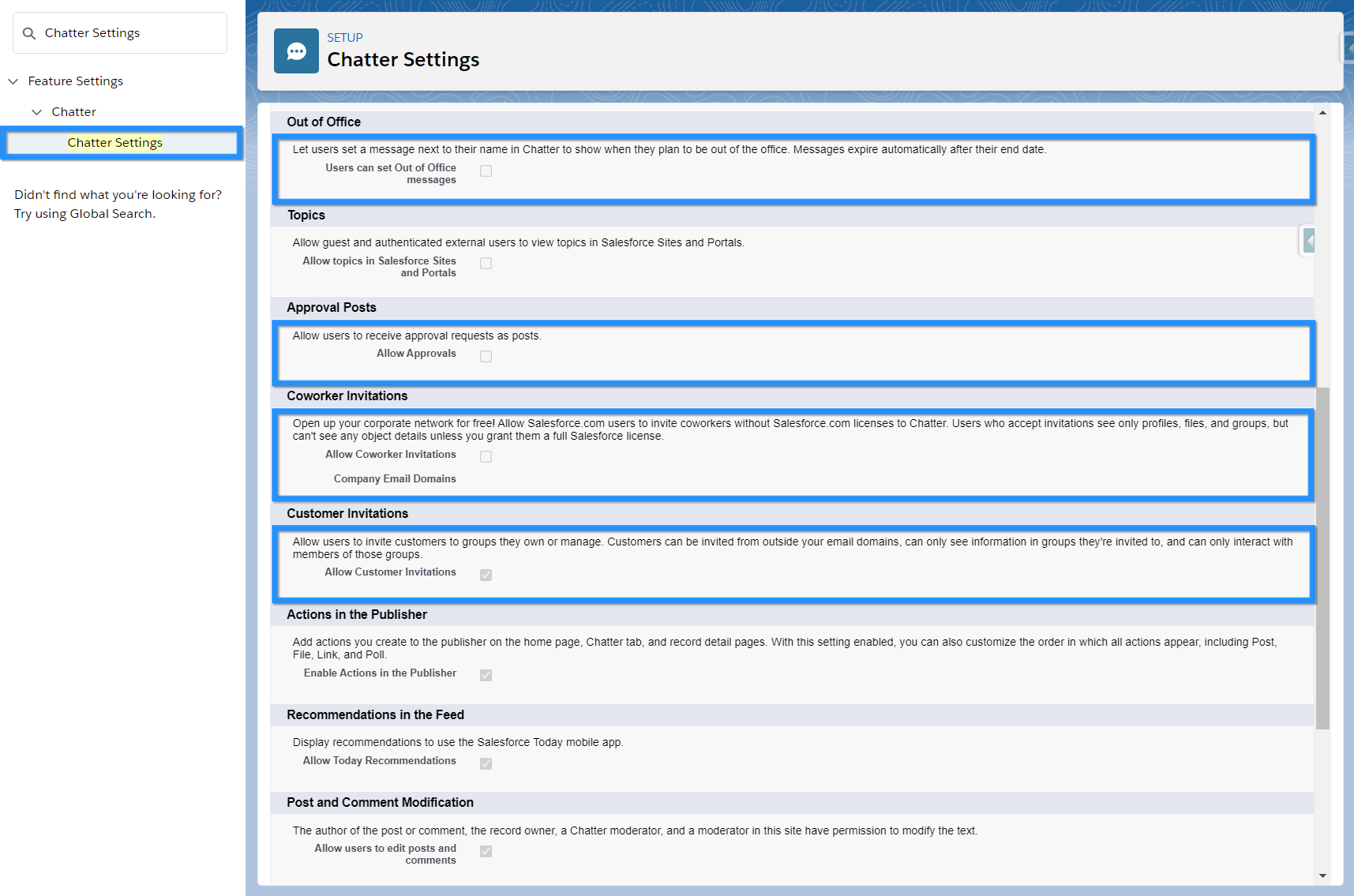
There are various Chatter settings that can be enabled, for example, the ability to create draft posts is enabled in these settings. Some interesting settings include:
Chatter Approvals
If enabled, users can view and approve records in the Chatter feed.
Out of Office
An Admin can enable a feature that allows users to set an out of office message on their profile. Similar to Outlook or Google, the user can set themselves as out of the office, add a start and end date, plus a message.
Customer Invitations
With this permission enabled, users can invite customers (external users) to Chatter private groups that they own or manage.
Coworker Invitations
This permission allows Salesforce users to invite coworkers (without a Salesforce license) to use Chatter.
Chatter Licence Types
The different types of Chatter licenses enable users to access and do different things. Some licenses grant more or less access to objects and features, so it’s important to choose wisely!
- Chatter External – For users outside of a company’s email domain e.g. customers. Customers can be invited to Chatter groups where they can view posts and information shared, as well as interact with other users.
- Chatter Free – For users that require access to Chatter but not to other Salesforce features. This could be used for internal employees that do not need Sales Cloud or Service Cloud functionality but do need an area to collaborate with other users.
- Chatter Only (Chatter Plus) – Chatter Plus licenses are for users who don’t have a Salesforce license but must have access to Chatter and some additional Salesforce objects. It is only available to Salesforce customers that already purchased these licenses; they are not sold to new customers.
- Lightning Platform Starter (for Partner and Customer Sites) – This license is for users in Experience Cloud sites that require access to Chatter and a wide variety of Salesforce objects.
Check out this article on Salesforce Help for full details of which features are available to each license type.